Thursday, May 10, 2012

the.heat.is.on


Janice, a runner friend of mine, joined me for a two hour heat training. This is a way to acclimate a runner's body to the demands of running an ultra-marathon (which  in my country means you'll be subjected to extremely hot and humid conditions). So as part of my preparation for the upcoming Bohol 50miler I have no choice but to run under the hot summer sun. And while its obvious that I don't enjoy running when its hot, it proved to be a new experience that is weirdly enjoyable for me. It was also a good opportunity to try out the new Salomon XA+ cap and Pearl Izumi arm coolers I ordered online (both of which  proved their worth). We did an hour of running then re-hydrated, then rested a bit and after that I decided to do an additional 38mins or so of running under the scorching summer heat (35.5°C). I'm still hoping the weather conditions during the actual race day would be cool and cloudy but if its not, then at least I'm partially ready to take on the heat!

btw, I just came across this blog and is surprised that Haruki Murakami is a runner (well, he's a marathoner/ultramarathon/triathlete!)


and for some bizzare yet inspiring news >> Paralyzed "bionic" woman completes London Marathon!

Friday, May 04, 2012

dream.big.run.strong


Here's something the Move for Move guys came up with, a cool video of The Bull Runner Dream Marathon (2012) experience. It pretty much sums up the whole thing, and if anyone of you wants to run their first (or second) marathon then this is the race for you. I will try to find the time to blog about my TBRDM experience next time. I am preparing for my first ultramarathon (a 50miler) which will happen in about 3 weeks. Wish me luck!

Friday, April 27, 2012

the.pangolin.rolls

Ubuntu 12.04 LTS (Precise Pangolin) is officially released and ready for download (but please use the alternate servers/torrents for now as we don't want to swamp their servers)

This is an LTS (Long Term Support) release which means its supported longer than usual releases. The best part is that starting with v12.04 it will be extended to 5 years for both desktop and server editions.

And just to make sure you're downloading the real thing, do check the md5 hashes:


md5 Hash
Version
9fcc322536575dda5879c279f0b142d7
ubuntu-12.04-alternate-amd64.iso
bcee4c03b704a9b62988505b7d8f3069
ubuntu-12.04-alternate-i386.iso
128f0c16f4734c420b0185a492d92e52
ubuntu-12.04-desktop-amd64.iso
d791352694374f1c478779f7f4447a3f
ubuntu-12.04-desktop-i386.iso
f2e921788d35bbdf0336d05d228136eb
ubuntu-12.04-server-amd64.iso
32184a83c8b5e6031e1264e5c499bc03
ubuntu-12.04-server-i386.iso
d4aa1eb1131bacd46317dad1afc59ff6
ubuntu-12.04-wubi-amd64.tar.xz
33452f884d1017aadde0ec468b83264c
ubuntu-12.04-wubi-i386.tar.xz
9813c75c0ef631942b4c9f989588ab85
wubi.exe
For the complete md5 hash list check this >> https://help.ubuntu.com/community/UbuntuHashes

Thursday, April 26, 2012

Back.to.blogging?

Its been more than two years since my last blog, and I probably have lost most of my avid readers in the process. But no worries, it has been a busy two years for me as well, formed my own startup company, being a father for the 3rd time, moving to a new house, a lifestyle change, and quite recently distance running. I aim to rekindle my love for blogging and with the changes happening lately I might be able to write more, and hopefully make even the mundane interesting. That said, I'll be tackling broader topics this time. I will definitely be writing about my passion for running, while still keeping the geeky stuff we all love. I'll be posting articles on Django/Python development as well as this have been my favorite things to tinker with lately. Ubuntu will definitely be discussed specially since the new LTS version is out and I'm convinced that this might be the best version yet (noticed that I didn't post Ubuntu related stuff after Karmic...because nothing much has changed!). Blogger has been pretty busy as well, so I'm taking the time to try the templates out, trash the old ones and loving the new UI enhancements. Stay tuned guys, this will be fun!

Thursday, January 14, 2010

Karmic.on.the.HP.mini.110

My friend Jon bought a brand new HP mini 110 last week and asked me to install Ubuntu 9.10 on it (Karmic Koala). I suggested we install the remix edition instead as it designed exactly for netbooks (eeePC, Wind, HP mini,etc). The HP mini come with Windows XP installed and is actually pretty snappy for a netbook. I also liked its keyboard and it comes as no surprise that Jon chose it because he is a journalist and will actually be using the mini primarily for writing. After playing with it for a while, I prepared an Ubuntu 9.10 remix installer on a usb drive, stuck it on the mini, rebooted, and installed it. The installation was a breeze and after a few minutes or so I got the familiar orange-brown scheme and the remix interface. So I did the usual checks and was happy to found out that all of the mini's hardware work (at least that's what I thought at that point).
Now Jon is a Skype user and since Skype is not installed by default I promptly downloaded the Skype package from their site, installed and configured it. Audio and web cam worked fine but that's when I discovered that the internal mic does not work. As usual the first thing to do to is to install back ported drivers and hope that it might fix the situation. For the mini this is what I did.

sudo linux-backports-modules-alsa-karmic-generic
You can also use the Synaptic Package Manager, search for the package and installed it.
I installed the generic meta package so that all supporting packages are installed and should ensure that upgrades work correctly. I reconfigured Skype again and this time the internal mic worked. And just to make sure the package is loaded correctly I did a reboot. One of the stellar improvements in this Ubuntu version is its fast boot loading, I was up in running again in a few seconds. The back ported alsa driver definitely fixed the internal mic but somehow broke the mini's wireless connectivity. Sensing a driver conflict, I attempted to use ndiswrapper and loaded the windows drivers instead. The procedure failed but it reminded me to just use Ubuntu's Hardware Drivers app. This app allows users to load proprietary drivers to hardware that either don't have a Linux driver or have an untested implementation of a Linux driver. Their are two choices for Broadcom (the mini's wireless card) but for the mini you need to choose the STA drivers. Activate the driver and just do a reboot to be sure. Everything worked well in my case and I hope you'd be able to do the same for yours! :)


Saturday, October 31, 2009

the.koala.arrives

I've just installed Ubuntu's latest release nicknamed Karmic Koala (9.10) and I still can't wipe the smile off my face. Once again Ubuntu/Canonical has release a shinier more polished version of the popular Linux distro. My main gear is an MSI PR-200 laptop and virtually all of my devices worked without a single tweak (the TV-card might need work). Gnome-do now sports a dock interface and it comes with the latest release of Firefox (so far no Flash issues). If this is an indication of Canonical's dedication to making Ubuntu the best Linux distro then I think they're on the right track. Minor design changes actually enhanced the whole experience. Kudos to Canonical and the Ubuntu community! :)

Wednesday, October 07, 2009

can't.wait


Karmic Koala Beta is running smoothly on my machine...I do hear a few issues from my friends but no showstopping bugs to far...its fast, well polished and will definitely upgrade to it once its officially released.

Friday, September 25, 2009

ideacampdavao.channel.on.vimeo

Ragingmon just posted the latest batch Ideacamp videos
Thanks mon!

Thursday, September 24, 2009

post.SFD.blog (long post)

Another Software Freedom Day was successfully celebrated at the UIC Auditorium last Saturday. Some familiar faces from last year's SFD were there as well as a fresh set of students coming from different schools. Here are the highlights of the event.

Councilor Peter Lavina opened the event (see video below)

SFD2009 Keynote - Pete Lavina from ragingmon on Vimeo.

Kevin Paquet of PinoyTeens.net talked about his passion for the opensource blogging platform, Wordpress.

Marloue Pidor talked about OpenStreetMap (OSM) and how everyone can contribute to this wonderful mapping project. Marloue, Mark and I co-author mapping mindanao so you can actually shoot me an email as well if you have questions regarding OSM.

Evamay dela Rosa talked about FOSS solutions for Business Intelligence...putting emphasis on Pentaho. She also announced that their company is hiring...so there you go, learn Pentaho and you're assured a seat in Citi Hardware :)


SFD09 Business Intelligence - Evamay dela Rosa from ragingmon on Vimeo.


Mark Maglana talked about Opensourcing IdeaCamp...the unconference for people who want to make a difference.


SFD2009 IdeaCamp Open Sourcing Ideas - Mark Maglana from ragingmon on Vimeo.
Holden Hao, Afterfive and DabaweGNU President, presented network booting and virtualization, showcasing the same technologies that powered DabaweGNU's laboratory. Low-cost yet powerful solutions fueled by FOSS.
Lastly, I got to present Ardour, Hydrogen and JACK...FOSS-based digital audio tools that deliver high quality output. I would have wanted to show how to actually add each audio track to Ardour but due to time constraints I had to settle with a canned Ardour project. I hope the audience at least get the basic concepts so they can start their our music projects using these tools. Btw, I used Impressive to render the presentation and as well as use Ubuntu's built-in bluetooth hid support to use my k750i as a presentation remote. (see! libre rocks!)
Again if you have questions feel free to shoot me an email.

SFD09 Ardour + Jack + Hydrogen - George Tujan from ragingmon on Vimeo.

special thanks to Ragingmon for the videos!

Friday, September 18, 2009

neuralbrew.on.sfd


I'll be at the UIC Auditorium tomorrow from 1pm to 5pm for the Software Freedom Day 2009 celebration. Here's a link for tomorrow's programme >> software-freedom-day-2009

Friday, September 11, 2009

IdeaCampDavao.version.2

I got my hands full these days but I would just like to remind everyone to join IdeaCamp Davao 2
  • When: Saturday, September 12, 2009 (10AM - 4PM, registration starts at 9:30AM)
  • Where: Whistle Top Bar (Matina Town Square, Davao City, Philippines)
  • How much: Admission is FREE (But slots are limited)
  • What to wear: No dress code, as usual
See you there!

Saturday, June 13, 2009

an.alternative.to.the.usual.presentation.apps

Hello guys, I've been quite busy lately juggling fatherhood, work, ideacamp and setting up the mapping party that I haven't been able to update this blog as much as I want to. So now that I have a few minutes to spare I'd like to point your attention to a pretty cool application (more of a script really) I came across yesterday, must have been what we drank and ate at Talaba Joe's (thanks Mark... I enjoyed the quantum physics talk hahaha) because I just randomly searched for presentation apps online and managed to stumble upon Impressive.
Impressive is a program that displays presentation slides. But unlike Impress or other similar applications, it does so with style. Smooth alpha-blended slide transitions are provided for the sake of eye candy, but in addition to this, Impressive offers some unique tools that are really useful for presentations. Its not as flashy or feature-loaded as the usual presentation software but what I like about it is its simplicity and the potential to do more (it is after all a FOSS app), its just a 150k python script (fully configurable and free) that allows you to render your PDF files as presentation, providing hardware-accelerated effects (page transitions), a smashing overview screen that looks like Compiz or Cooliris, a highlight box that stays that way until you disable it and the cool spotlight effect (so you can throw away that laser pointer). Of course its not as complete as Keynote,Powerpoint
or Impress but in some ways I find it more impressive :)

Saturday, June 06, 2009

improving.intel.graphics.on.ubuntu.jaunty

Here's a link to a very helpful howto that not only improves the speed of your Intel integrated chip but also solves the Google Earth 5.0 flickering (and logging-out issues). Btw, I have an MSI PR-200 notebook with a GM965/GL960 chip running Ubuntu 9.04 64bit, the fix (or should I say work-around) manage to drastically improve glxgears frames from 600+ to 2700+ (I followed the bleeding edge option), yet remained stable with no apparent memory leaks. Hope this helps

Monday, June 01, 2009

post.ideacampdavao.post

I'd like to thank all those to came and participated in the first ever IdeaCamp Davao! We had a full-packed room of people willing to share what's on their mind. I personally enjoyed the whole experience, not just because I'm part of the organizing group (it was fun btw), but because of the ideas that were introduced. Engr. Espina's talk on renewable energy was both an eye-opener and a window for opportunity, I could have sworn I saw light-bulbs on people's heads when he presented his ideas. The presentation was limited to 10minutes (plus another 10mins for questions) each and although I personally would want it to be longer, it was at least effective in keeping the speakers from talking to much and the audience from losing interest (maybe we should consider parallel session on the next IdeaCamp). This is just the beginning guys, We hope to bring even more interesting ideas on the next IdeaCamp (schedule will be announced in a few days).

Btw, I'd urge anyone even those who haven't attended IdeaCamp Davao (and therefore did not see the presentation) to checkout G.ho.st's virtual computer, its a new paradigm for computing and quite helpful for those who wouldn't want to lug around a laptop when travelling, just sign up and go!

flickr stream >> click me!

Friday, May 29, 2009

ideacampdavao!


ideacampdavao is set for tomorrow, 1:30pm @Kublai's Cafe (Ponce Suites) so see you there guys and hope to share ideas with the rest of you! :)

Friday, May 22, 2009

riding.the.city

I was tinkering with the GPStogo unit (loaned to Marloue by OSM) the other day and made a simple Delphi app to fetch GPS data from the device and plot the location to an OSM map of Davao. The idea is to create a DIY real-time GPS tracking system suitable for mapping (and for the upcoming mapping party), using only stuff in the office. However, I have not figured out a way to effectively render downloaded OSM tiles in my app (no offline-support yet) and my application is currently making use of Cloudmade's powerful API to request and render the tiles for me online. So unless I use WeRoam or Visibility it won't be as useful for mobile mapping (using the telco's 3G service for mobile mapping isn't as practical either). The next day I decided to install tangoGPS on my notebook and saw that it practically has what I wanted in the first place (plus its free and supports offline maps). Since Marloue and I are scheduled to meet a client after lunch, we figured that it would be the best time to try out this DIY setup and start logging POIs (Point of Interest) as we travel along the road.

Here's what you need:
1. GPS device...we used the GT-31 but any GPS device that outputs NMEA sentences will do
2. A notebook with Ubuntu 9.04 (or any distro you want) installed
3. tangoGPS

You can install tangoGPS via synaptic:

sudo aptitude install tangogps

Ensure that gpsd and gpsd-clients is installed as well:

sudo aptitude install gpsd gpsd-clients

Gpsd is a service daemon that monitors one or more GPS devices attached to a host computer through serial or USB ports. It then serves this information via port 2947 and allow multiple client application to access the to GPS devices without contention or data loss. You can actually use one GPS device for navigation, wardriving, mapping or whatnot all at the same time!

tangoGPS does not interface directly with a GPS device, however it accesses GPS data by listening to a gpsd service. So before you can actually use Tango you'll have to make sure gpsd is running. You also have to check what particular USB port the GT-31 or any (GPS device for that matter) is connected.

dmesg | grep ttyUSB

Normally it should give you /dev/ttyUSB0 but it could be any other number depending on which port is available. Next, run the gpsd service:

gpsd -N -n -D 2 /dev/ttyUSB0

Once the service is running, fire-up tangoGPS and proceed to configuration. The default setup should work (IP: 127.0.0.1 port 2947) as it uses a loopback address, change the IP if you're accessing the service from another machine. Thats about it, once the GPS gets a satellite fix tangoGPS will draw a marker that shows your current position and bearing. Righ-clicking on the map allows you to add POIs, which was exactly what Marloue was doing during the trip. I managed to discover a better driving route while doing this experiment and I hope something similar happens to you as well, have fun riding the city!

Thursday, April 30, 2009

lazarus.on.ubuntu.jaunty.64bit

Being a big fan of Delphi I've been wanting to port my apps to Linux...unfortunately Kylix (Borland's RAD tool for Linux) is no longer supported since...well years ago, the obvious path would be to use free pascal and Lazarus. Free pascal is an open-source Pascal compiler with two notable features: a high degree of Delphi compatibility and availability on a variety of platforms, including Windows, Mac OS X, and Linux, Lazarus on the other hand, is an open-source development system that builds on the Free Pascal compiler by adding an integrated development environment (IDE) that includes a syntax-highlighting code editor and visual form designer, as well as a component library that's highly compatible with Delphi's Visual Component Library (VCL).

In Intrepid, I found that Lazarus and fpc is best compiled from the svn repo, however this is not the case with Jaunty (9.04) or at least with Jaunty 64bit. I have not installed Lazarus or fpc on Jaunty's 32bit edition so I can't say for sure but in the 64bit version it won't compile, I'm pretty sure its a dependency issue but as of the moment I don't have the time or the patience to trace all of it, enter CodeTyphon (shouldn't it be CodeTyphoon?) a distribution of FPC and Lazarus with a nice graphical build tool that makes building (to any OS) easier. Until the Lazarus wiki reflects a nice howto here's an easier way to install and build fpc and lazarus.

  1. Download CodeTyphon here
  2. Extract CodeTyphon zip to a folder of your choice
  3. Double-click CodeTyphon_ln64.ex (a CodeTyphon window should show up)

  4. Go to main menu FreePascal -> FPC Extract Source (it should automatically extract the FPC source to its own directory...usually /usr/share/fpsrc)
  5. Next select FreePascal -> FPC 64bit Build Compiler (could take a few minutes)
  6. Go to main menu Lazarus -> Lazarus Extract Source(it should automatically extract the Lazarus source to its own directory...usually /usr/lib/lazarus)

  7. *Step 7 actually failed in my first attempt, I found out that later after looking at the error logs that a few dependencies have to be satisfied first (so much for no time and patience hehehe). So fire-up your terminal and type this:

    sudo aptitude install libX11-dev libgtk2.0-dev

  8. Next select Lazarus -> Lazarus 64bit Build IDE
  9. Create a link or launcher that points to /usr/lib/lazarus/startlazarus
  10. Start coding!


Hope this helps! :)

Saturday, April 25, 2009

Jaunty.Jackalope.arrives

I decided to shift to 64bit Ubuntu 9.04 (Jaunty Jackalope) yesterday and installed it over my existing Ubuntu partition, now you might ask why I bothered with a clean install when I already upgraded to Jaunty a day before...To be honest, I really don't have a concrete reason except this weird feeling that the distro upgrade I performed was half-baked, notifications didn't work and it still has a sluggish feel. I might have been too excited about the whole thing that I didn't even notice that the automated installer did not wipeout the existing swap partition so I actually ended up with two swap files! Again the obsessive-compulsive in me was triggered and I performed the installation again, this time wiping out both my swap and root partition (using gparted) before installing Jaunty to disk. Ext4 is not the default filesystem for Jaunty btw and if you want that to happen you'll have to use manual partitioning. I chose ext3, deciding to shift to ext4 only if I find Jaunty slow the after installation. So after a few minutes I finally got it up and running and was immediately impressed by how fast it boots...22 secs! (cold booting) and thats not even ext4 yet!

This time my notification system finally worked. Everytime I receive a message in pidgin or a wifi signal is detected, I get a nice unobtrusive message that tells me what just happened. Jaunty is quite polished and has a very stable overall feel, not a very objective observation I know but Jaunty does live up to its name, its fast and the user experience is definitely improved. The wallpaper and theme hasn't changed much but thats what customization is for. Firefox is more responsive this time and flash support(flash64bit beta) has definitely improved. With Intrepid I experienced flash movies suddenly turning white and stopped playing or crashed the browser without warning...so far I haven't experienced that in Jaunty. If you want to install the 64bit version of flash make sure you removed the 32bit version first using synaptic then download here. I got the tar.gz version extracted libflashplayer.so and copied it to ~/.mozilla/plugins (create the folder if it doesn't exist).

Compiz worked fine after I upgraded Intrepid to Jaunty but curiously did not function once I did a clean install. I read somewhere that the devs explicitly blocked Intel graphics controllers because of stability issues with the driver (mine was GM965 Integrated Graphics Controller) however once I disabled the checks, Compiz worked fined without a hitch (however I'd still want the devs to fix whatever issues they find and add that later to the repos). If you have a GM956 like me you've been warned but if you like to make it work here is how I did it.

mkdir ~/.config/compiz/compiz-manager
echo "SKIP_CHECKS =yes" > ~/.config/compiz/compiz-manager

This is strictly a workaround folks...up until a real fix is given. Also you can install fusion-icon via synaptic(or add/remove) and reload the window manager, that should trigger compiz.
I'm still rebuilding my system right now, installing some of my favorite apps like gnome-do and vlc so I'll be a bit busy, you guys should try it out for a spin...again you can use the live-cd or better yet wubi (ubuntu installer for windows) if you're new to Linux and just want to have a feel for it. Otherwise forget about your current Intrepid installation and start upgrading :)


Tuesday, April 21, 2009

because.I.can't.wait.another.day

I've been testing Ubuntu 9.04 RC for two days now and it seems to live up to my expectation. So I've decided to upgrade to the latest release just because I can't wait another day...It's that good :)
Wish me luck and I hope I don't break things.

Thursday, April 02, 2009

OpenStreetMap on Linux & Kape


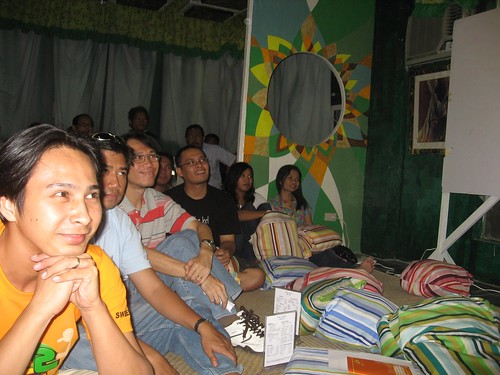
DabawenGNU's Linux & Kape (coffee) or L&K sessions has always been my favorite avenue for tech talk, conceptualized by a few years back it has given local FOSS advocates a powerful tool for spreading their advocacy or simply mingle with other people and be enlightened with what new FOSS related technology can offer. Its intended to encourage everyone to talk about their area of interest and expertise without the baggage of preparing formal and time consuming presentations.
I enjoyed every L & K session I've attended, that is why when Marloue and I were invited to talk about OSM and GIS I did not hesitate so set a schedule. Finally we can spark the interest of DavaoeƱos and get more local contributors to the OpenStreetMap project.
Due to time constraints we decided to focus more on OSM and clear up a few misconceptions as well. We also discussed some of the online services that made use of OSM as well as an overview of the Cloudmade's API and showed a sample application written in Delphi. Andrew was kind enough to document the session and even snapped a few photos while he's at it. Most of the participants were from the academe and we hope they will impart what they learned back to the classrooms so we'll have even more contributors.
OpenStreetMap is an amazing project its not just a simple online map but there is a wealth of information that can be derived and put to good use. Do take time to listen to the discussion, if you don't understand some of the words (as this is an informal session after all) feel free to shoot me an email. We'd like to thank Emmanuel Sambale for the presentation, he has done a lot for the OSM movement in the Philippines and we'd like to support that effort as well. (Videos on Andrew's blog)